StyleLab: One Photo, and AI Reads Your Color & Style
One app from color analysis to outfits to try-on — powered by color theory, face-preserving edits, and eval-driven de-biasing
Upload one photo, and AI does your color analysis (12-season), outfit pairing, and tests for pattern / hair color / hairstyle / makeup / jewelry — with every result rendered on your own face.
Live demo: sg.yaoyuheng2001.me/colorstyle/app.html · Source: github.com/piglet12138/ai-color-test
- Part 1 · Walkthrough: the flow from a user's view, with real screenshots + AI-generated samples.
- Part 2 · Engineering: the color theory, the APIs, the whole face-preservation design, and a public-dataset evaluation.
StyleLab is designed to look like a phone app (a phone frame + a 5-tab bottom bar + an onboarding flow), but it's really just a web page — open the link and use it. The whole product is one idea:
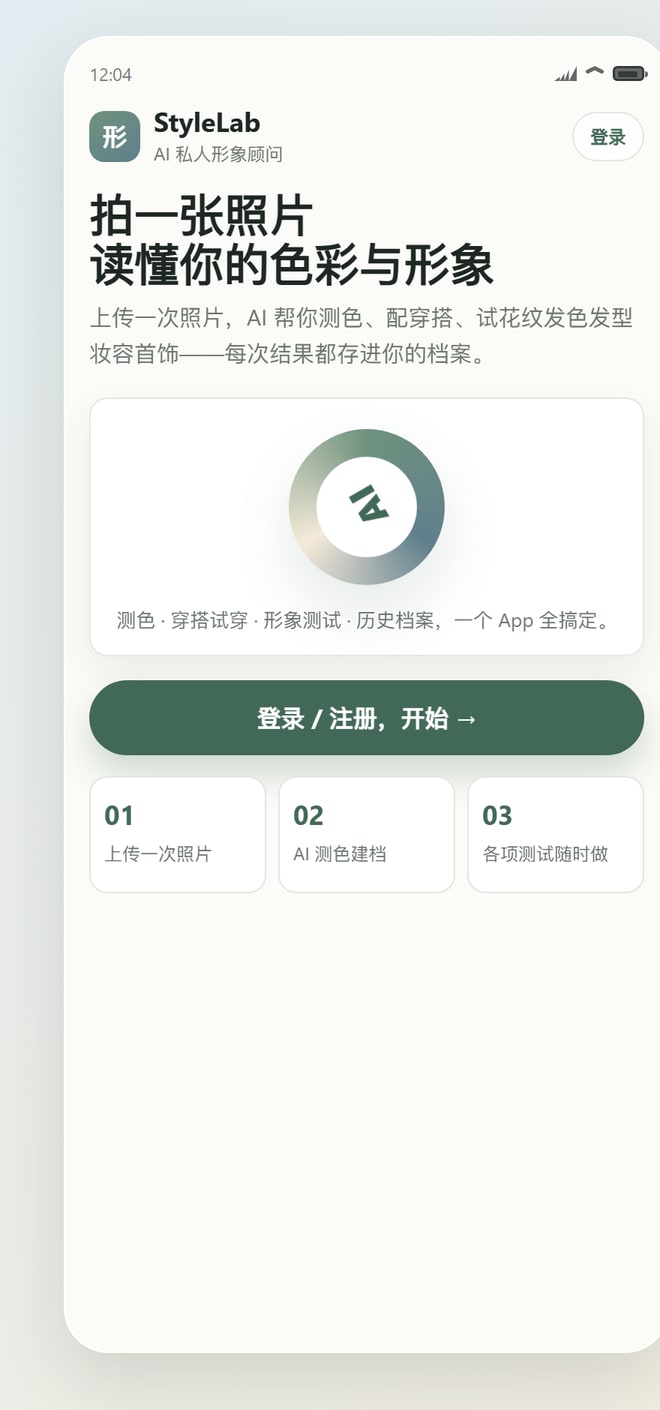
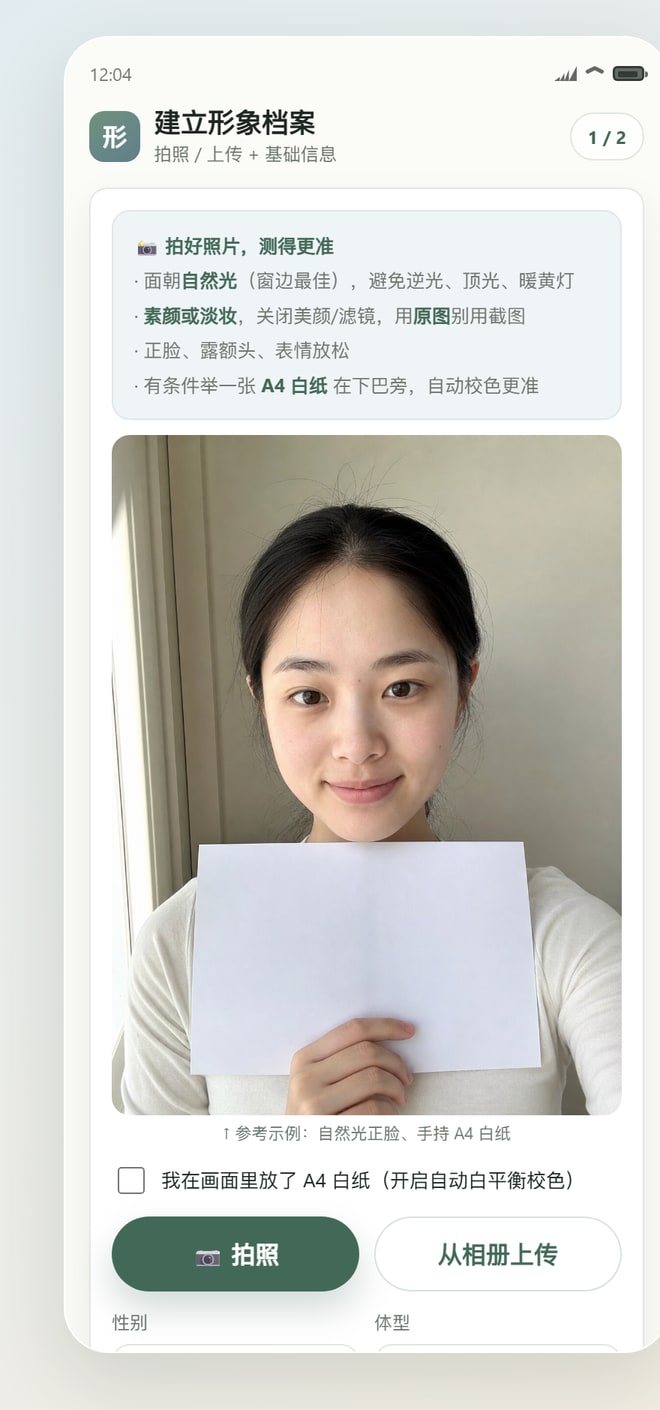
Onboarding: upload once
The first run is a guided flow: welcome → upload → analyzing → color report. The upload screen isn't just a file picker — it carries a full capture guide, because color analysis is very sensitive to photo quality: face natural light, no/light makeup, filters off, use the original file, front-facing with forehead shown; if you can, hold an A4 sheet of white paper near your chin and the app auto-white-balances from it.
Once picked, a preview shows instantly and a client-side quality gate (QC) runs — resolution, exposure, sharpness, highlight clipping — and gives concrete reshoot tips ("too dark, find brighter natural light", "hold steady and let it focus") instead of finding out after upload that the reading is off.
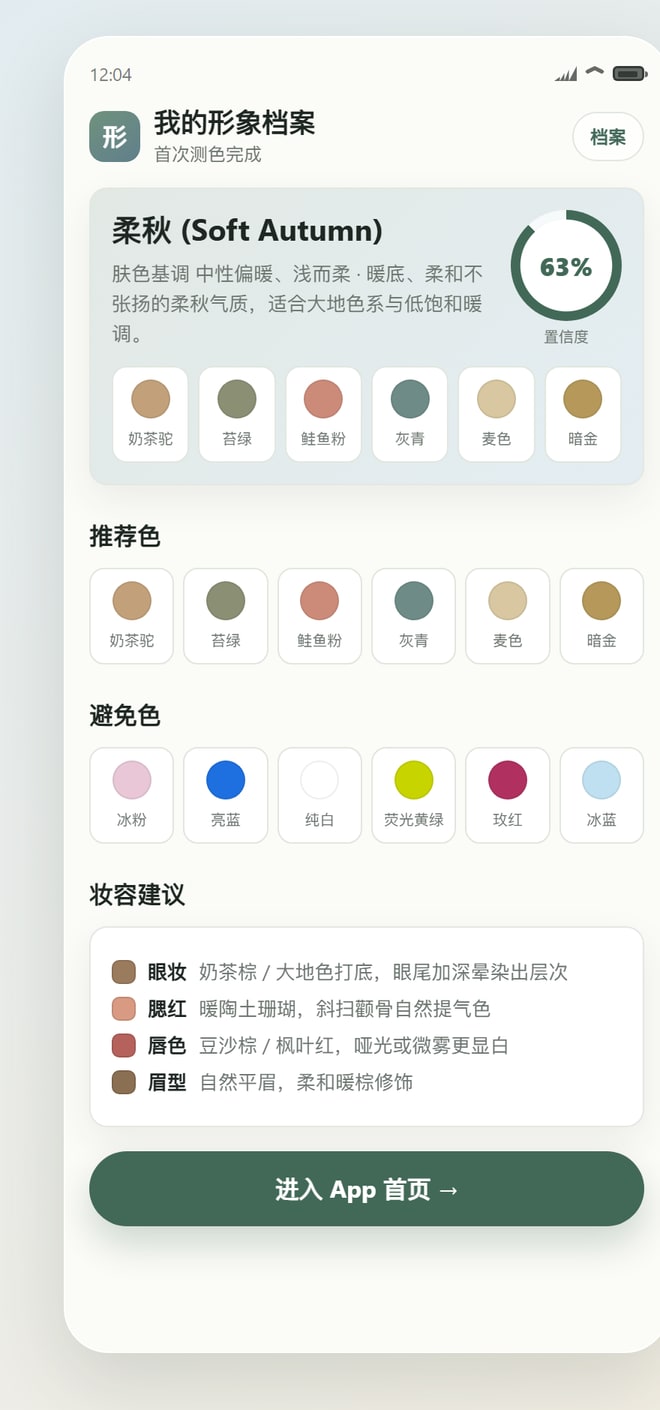
Color report: your "style profile"
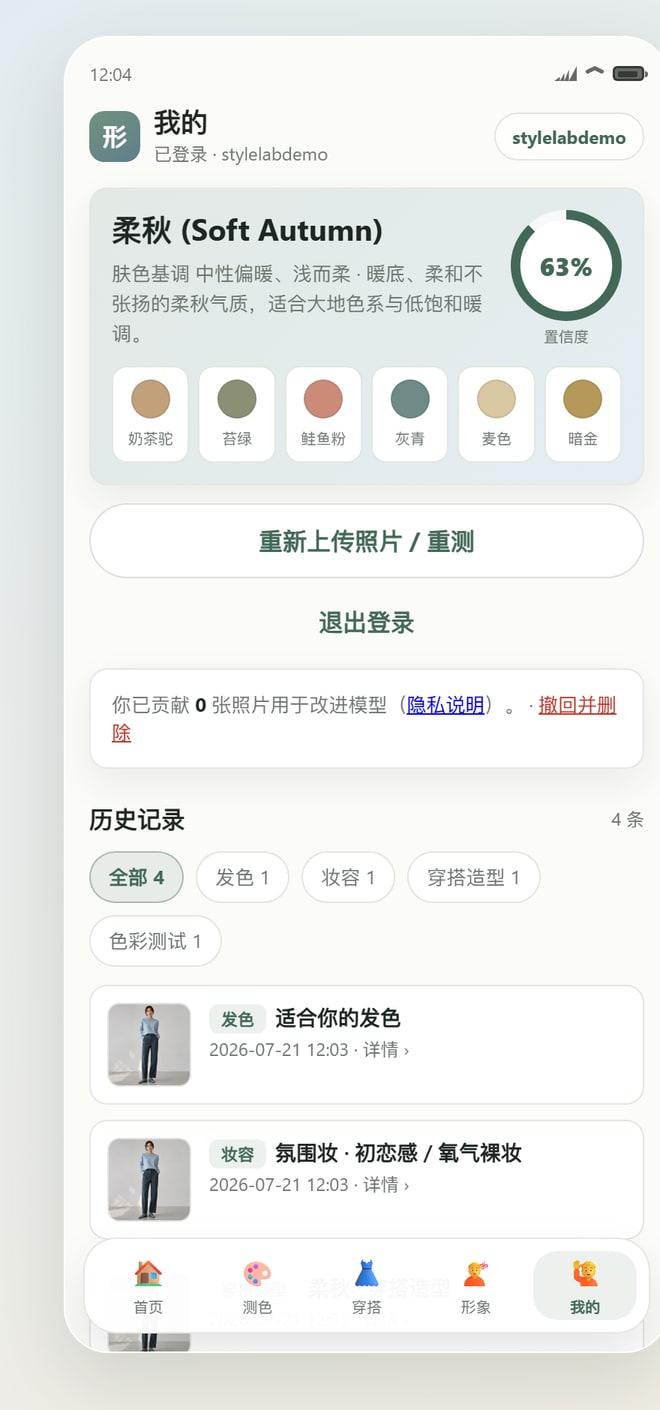
Tap "AI color analysis, build profile" and a few to a dozen seconds later you get a report — a season verdict (e.g. "Soft Autumn", with a real confidence score that drops for poor photos), a personal palette (recommended / neutral / avoid, each with a name + exact hex), makeup shades, and a plain-language explanation that deliberately avoids technical jargon. Logged in, the profile is stored server-side so next time there's no re-upload.
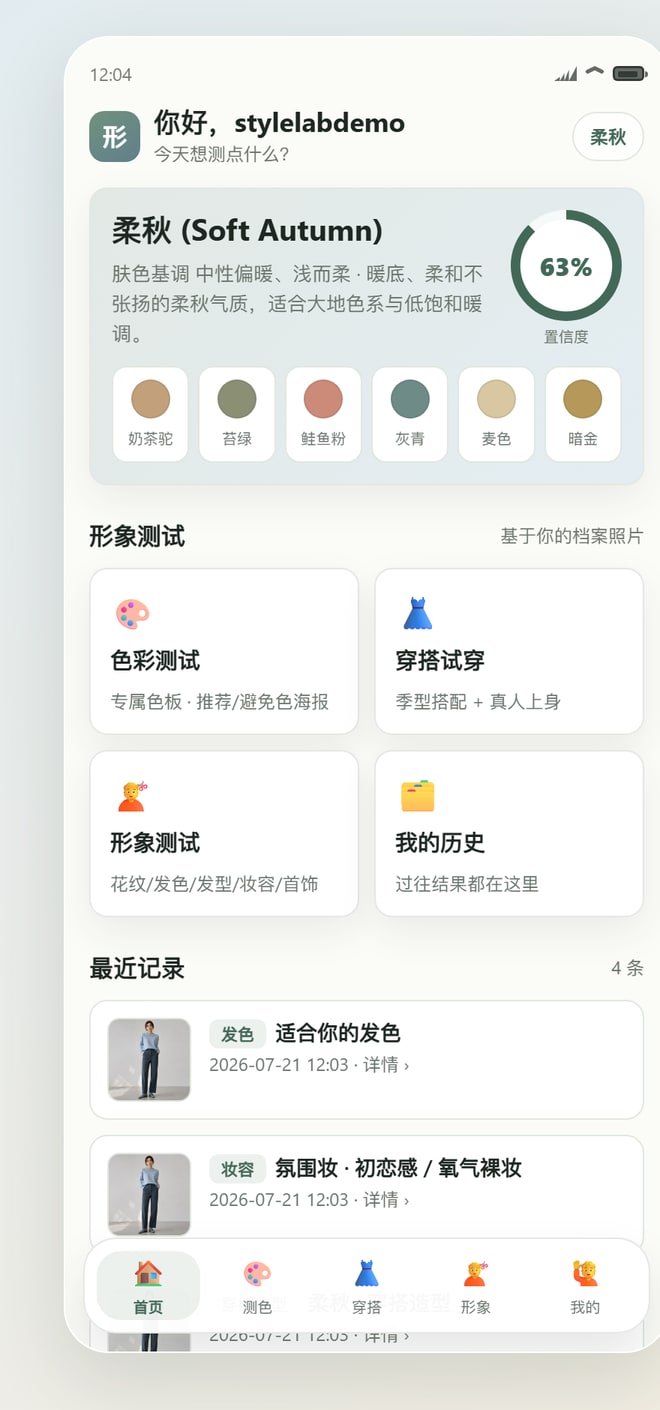
Home: four entries, one shared photo
After onboarding you land on Home with four cards — 🎨 Color, 👗 Outfit try-on, 💇 Style lab, 🗂️ My history. The key: all four reuse that single onboarding photo — no re-upload each time.
The color poster
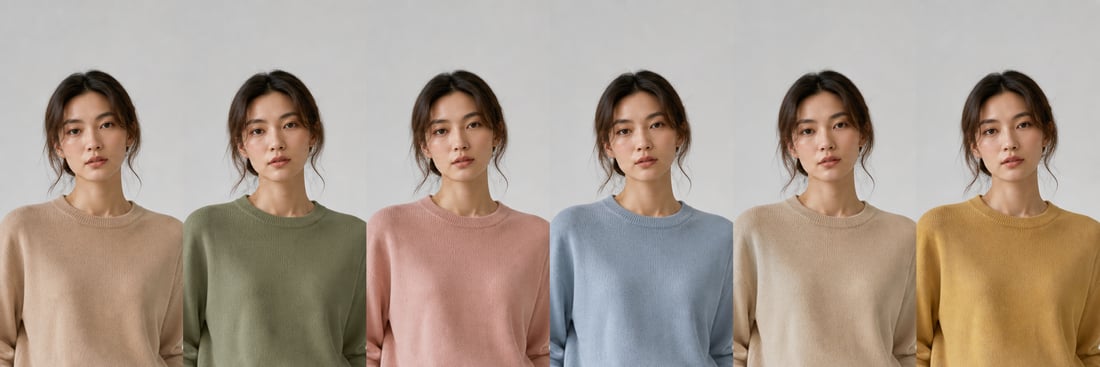
It generates a color-analysis image from your profile photo. The clever bit — it does not make gpt-image draw the whole poster in one shot (text goes blurry, the face drifts, colors are off). Instead: GPT-5 reads the photo and outputs the full color JSON (accurate) → strips are generated in parallel: the same you, side by side in several colors (consistent face, colors in order, no text) → the front end composes the poster. Below is a real recommended-color strip — six differently-colored knits, one face, one person:
Outfit try-on: putting clothes on you
This is the highest-impact part. AI proposes 2-3 full looks from your season and palette (colors + garments + an editorial-style note), then renders that outfit directly onto your own photo. Below are real AI try-on outputs — face, hair, and body strictly preserved, only the clothes swapped:
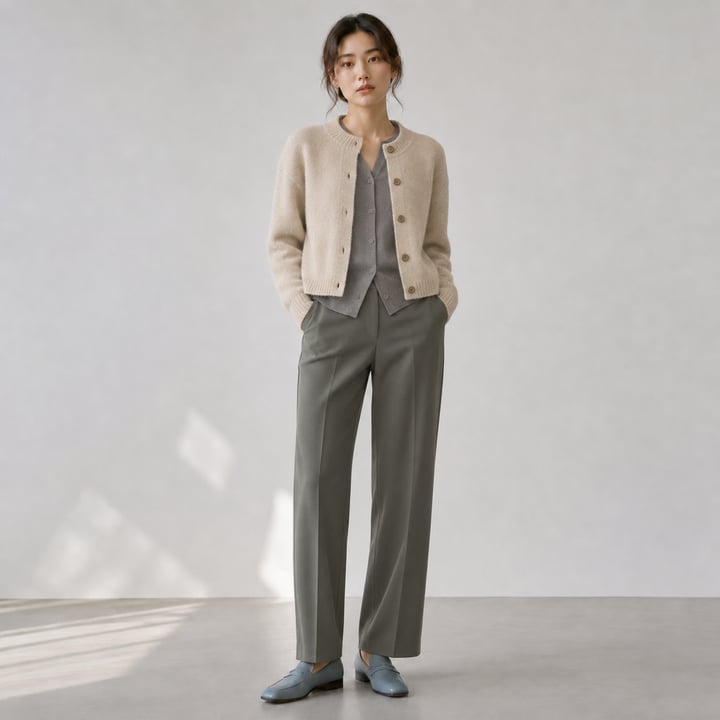
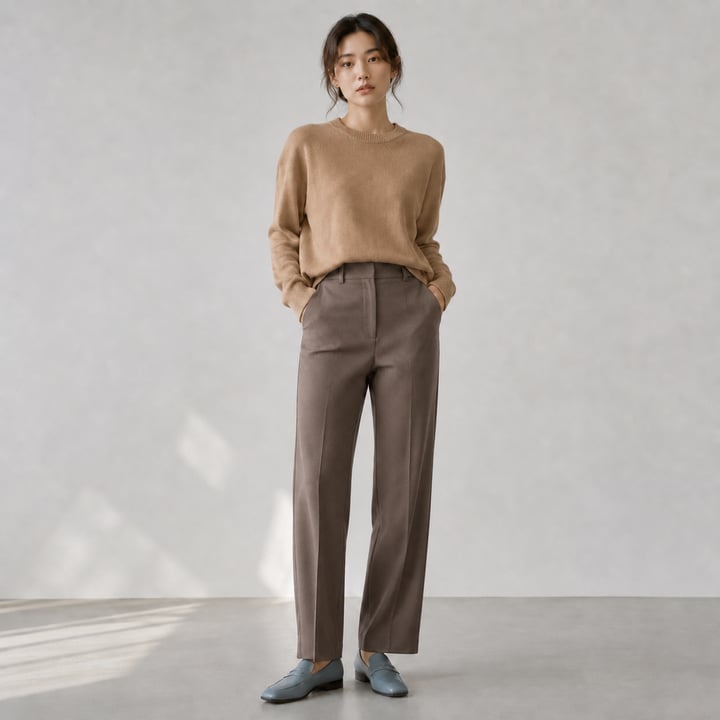
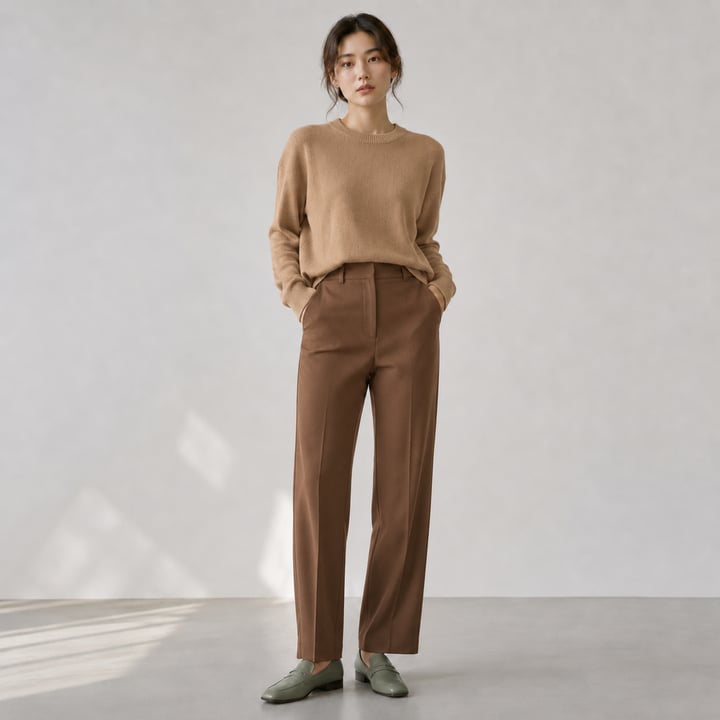
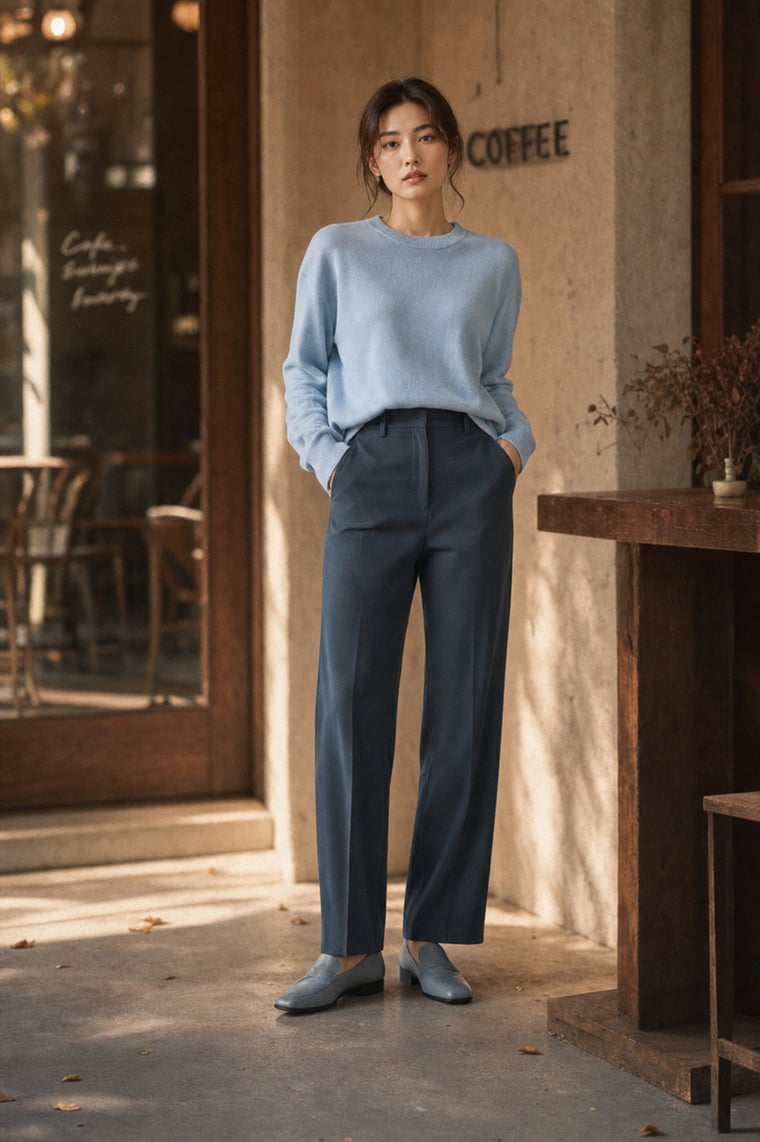
Beyond plain swaps there's an atmosphere mode (on by default) — not just new clothes, but placing you inside an editorial scene that fits your season. Soft Autumn gets a café's golden warm light, relaxed loose hair, an easy expression, warm-brown grading; identity holds up well, far beyond a plain grey backdrop:
Style lab · My
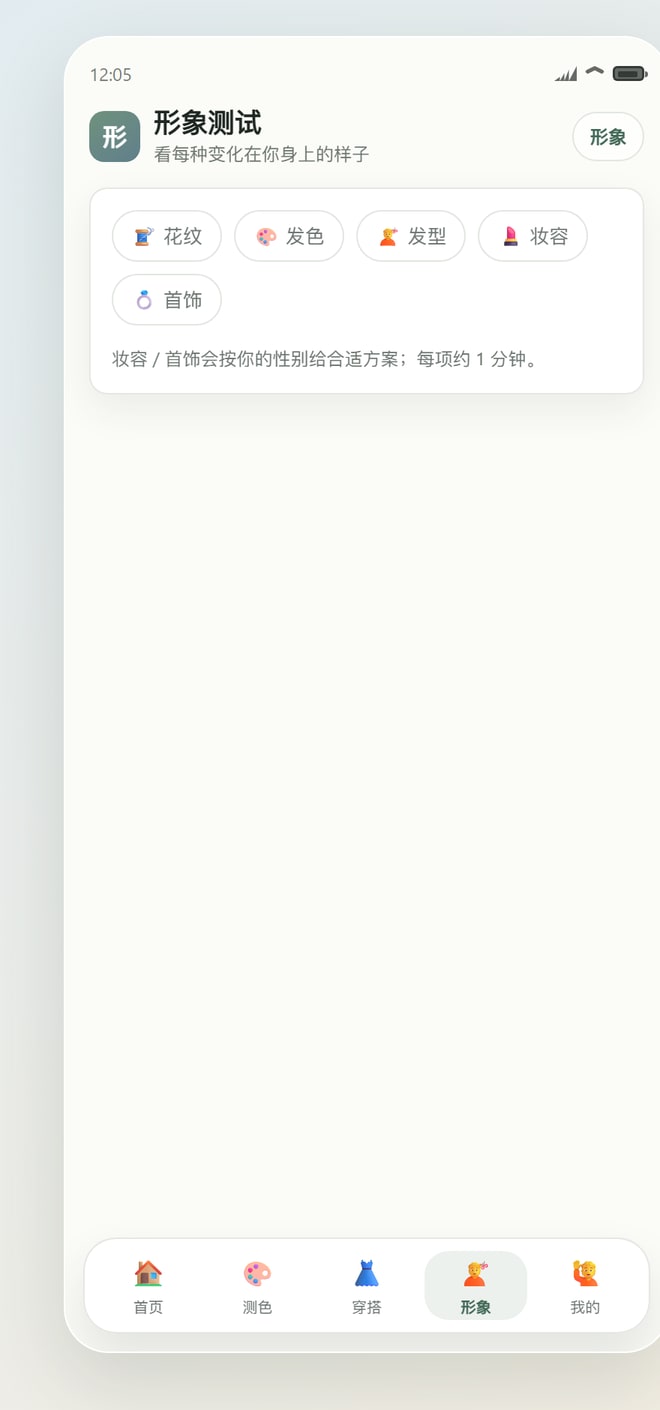
One upload, five tests: pattern / hair color / hairstyle / makeup / jewelry. Tap any and AI first recommends options for you (with reasons), then generates a "same you, options side by side" comparison. Makeup and jewelry give gender-specific suggestions. Under "My", results are grouped by type, filterable, and openable in detail; history images persist; if you opted into anonymous data contribution, you can revoke and delete in one tap.
The backend is a single zero-dependency Node file (server.mjs, plain node:http + JSON on disk, no npm install); the front end is vanilla JS. All AI goes through one OpenAI-compatible proxy: GPT-5 (multimodal — vision + reasoning) for every "judgment/text", gpt-image for every "generation/edit".
Color theory: the 12 seasons
The theoretical core is Seasonal Color Analysis, specifically the 12-season system. It classifies a person along three orthogonal axes:
- Undertone: cool / warm / neutral — skin/lip/vein leaning pink-blue (cool) or yellow-gold (warm);
- Value: light / medium / deep;
- Chroma: clear-bright / soft-muted.
The three axes combine into four families × three types = 12 seasons. Each has a "glow" palette and an "avoid" palette. I froze this into a reference database (presets.mjs): each of the 12 seasons carries axis labels + 6 representative colors (name + exact hex) + avoid colors. This KB is compressed into a compact string and injected into the prompt, forcing GPT-5 to pick from the 12 seasons and prefer standard hexes — keeping output inside a professional system, consistent, and not drifting.
Client-side CV: measure first, then ask
Before the photo hits the model, the browser runs a light CV pass (public/color.js, pure Canvas, no deps): a YCbCr skin mask for median skin color, the darkest cluster up top for hair, conversion to CIELAB for L* (value) / a*/b* (undertone proxy) and a hair-skin contrast ΔL, plus a tiny k-means for 6 dominant colors.
/api/coloranalysis is pure vision — it sends only the image for GPT-5 to judge the season, and does not feed the client Lab numbers. Because absolute color values from a single uncontrolled selfie are hugely lighting-dependent and can mislead; the client CV is used more for the quality gate and offline evaluation checks.The APIs: one proxy for everything
All AI calls point at one OpenAI-compatible base URL, with three model roles:
CHAT_MODEL  = gpt-5.4-mini   // vision + reasoning, all "judgment/text"
IMAGE_MODEL = gpt-image-2    // text-to-image (fallback when no photo)
EDIT_MODEL  = gpt-image-2    // on-person edit (change outfit on the user's photo)
Vision + reasoning uses standard chat completions with text + image_url (base64 data URL) and response_format: json_object to force structured output. GPT-5 models are multimodal; I deliberately omit temperature / max_tokens to avoid the parameter limits of reasoning models. The model sometimes wraps its JSON in a fence, writes inline comments, or leaves trailing commas, so there's a lenient parser: strip the fence, else regex the outermost braces, then drop comments and trailing commas before parsing — the necessary insurance for landing LLM structured output reliably.
Editing/generation uses images edits (multipart) and generations, returning base64. gpt-image is slow (~100s/image) and occasionally 5xx, so there's exponential-backoff retry (4 tries for edits, 200s timeout).
Face preservation: where the product lives or dies
Rendering clothes/makeup/hair color onto the user's own face carries one big risk: identity drift — the output stops looking like them. The face-preservation design has several layers:
1Hard constraints in the prompt
The edit prompt enumerates a "do not change" list and repeats the key constraints. Preserving skin texture/pores matters most — it stops the model from "casually beautifying" into identity drift:
[STRICTLY PRESERVE] face shape, feature proportions, expression, hairstyle,
hair color, skin tone, body shape/posture, pose and background, and gender;
keep real skin texture, pores and fine lines. Do not smooth, do not slim the
face, do not swap the face, do not change the face/body/gender.
It IS this exact person! Only change the clothes — everything else stays.2User knowledge base (subjectLine)
Gender/build/skin/hair from the profile are assembled into a "fixed subject features" string and prepended to every generation. This directly fixed an early severe bug: coloranalysis originally didn't return gender → the app defaulted to "female" → male users got female images. Now gender is judged by AI and locked into subjectLine, and strip prompts explicitly say "must be male/female, keep gender unchanged."
3img2img only, no face swap
I evaluated self-hosted InstantID / PuLID / ComfyUI pipelines (I have an RTX 4060 locally), and settled on prompt + gpt-image edits only — no face-swap model. The atmosphere shot above is also img2img on the user's own photo with seasonal atmosphere injected (a KB mapping each season to scene/light/expression/hair/grading), rather than swapping a face onto a template — more stable for identity, and no paid face-swap service needed.
4Split the task; don't make gen do what it's bad at
A repeatedly-verified insight: don't make gpt-image render an entire poster with text in one shot (blurry text, inconsistent face, wrong colors). The right split is — GPT-5 produces the text and colors (accurate) + gpt-image produces only the strip portrait (accurate) + code lays it out (accurate). That six-color strip above came from exactly this: each is "the same person side by side in N colors," consistent face, colors in order, no text, then composed with html2canvas.
Supporting optimizations
- Image cache: generated images are keyed by "model+size+prompt+image hash" on disk; repeats return instantly (24h TTL); relative URLs for sub-path deploys.
- Less jank: edit base image PNG→JPEG 0.9 (much smaller, faster encode, lighter sessionStorage); processing canvas capped at 1400px.
- Parallelism: strips / previews / variants generate three at once, cutting the wait to a single image's time.
- Zero-dep + relative paths: cleanly hosted under an nginx sub-path, with push→Actions→
git reset --hard→restart auto-deploy (deploy key locked to a single command via forced-command).
Evaluation: measuring bias on a public face set
Season classification has a fundamental problem — there is no objective ground truth. Cross-platform verdicts disagree ~30% of the time, and experts can even flip warm/cool. So I don't chase "accuracy"; I run a reproducible experiment to measure distribution, consistency, and directional soundness.
b* (warmth proxy) and L* (depth proxy) for a directional check. Upstream concurrency cap = 1 (concurrent = 429), strict serial calls with backoff retry.
The first version exposed a severe skew: the four-season split was 85% "Autumn", undertone 88% "warm", and only 7 of 12 types were used (clustered on Deep/Soft Autumn); there was a latent "deep skin → warm/autumn" ethnic bias (East Asian was the only group reasonably assigned cool). Still, the warm/cool direction was right — "cool" samples measured mean b* 3.4 vs "warm" 18.0, Pearson r≈0.50; the value axis matched even better. And 12-type test-retest consistency was only 50% (four-season held at 83%).
Targeted de-biasing: I rewrote the color prompt to judge undertone/value/chroma on three independent axes first, then compose the season, explicitly requiring "beware indoor warm light/filters staining the face yellow", "deep skin can also be cool (→ Deep/True Winter), never blanket-warm", and "deliberately counter the tendency to over-call Autumn", plus numeric axis fields and a real confidence that isn't always the same value.
The v2 regression (same 34) confirms the fix worked:
| Metric | v1 | v2 |
|---|---|---|
| "Autumn" | 85% | 62% |
| "Warm" | 88% | 68% |
| Cool-toned samples | 4 | 7 |
| Black → cool tone | 0/4 | 1/4 |
| Winter / Spring exits | 1 / 1 | 6 / 5 |
| Gender detection | — | 33/34 |
The skew is clearly eased, cool and spring seasons have exits, and deep skin can now be judged cool — still slightly Autumn-leaning, but the direction is right. The whole eval harness is reusable as an offline distribution regression before release. A side finding at the algorithm level: offline, the Lab hue angle atan2(b*, a*) separates warm/cool better than b* alone (cool/neutral/warm hue means 5.3/34.4/45.2, monotonic) — both a better metric and a pointer to a better algorithm.
Evaluation needs more real samples, so there's a consent-based data pipeline: the onboarding screen has an off-by-default opt-in + a privacy page; only when checked are the photo and result stored anonymously, and the user can see their contribution count and revoke/delete in one tap under "My".
Takeaways
What StyleLab tries to show is simple: a general vision model + an image-editing model, plus a solid layer of domain knowledge (color theory) and engineering constraints (face preservation, task splitting, eval-driven de-biasing), can turn an experience that "looks like it needs a professional stylist + a professional retoucher" into a zero-dependency little web page.
The hard part was never calling the API. It was translating a subjective color system into injectable prompt constraints, splitting generation into pieces each model is good at, locking the user's identity with hard constraints, and honestly measuring the model's bias with a reproducible experiment before fixing it.
⚠️ A personal exploration project, non-commercial; the color analysis is for fun/reference only — season classification has no objective answer, so treat it as an interesting starting point, not an authoritative verdict. The strips, try-ons, and atmosphere shots here are all real AI images produced by the system.