I Built a Claude Agent Frontend From Scratch — Here's What I Learned About Agents
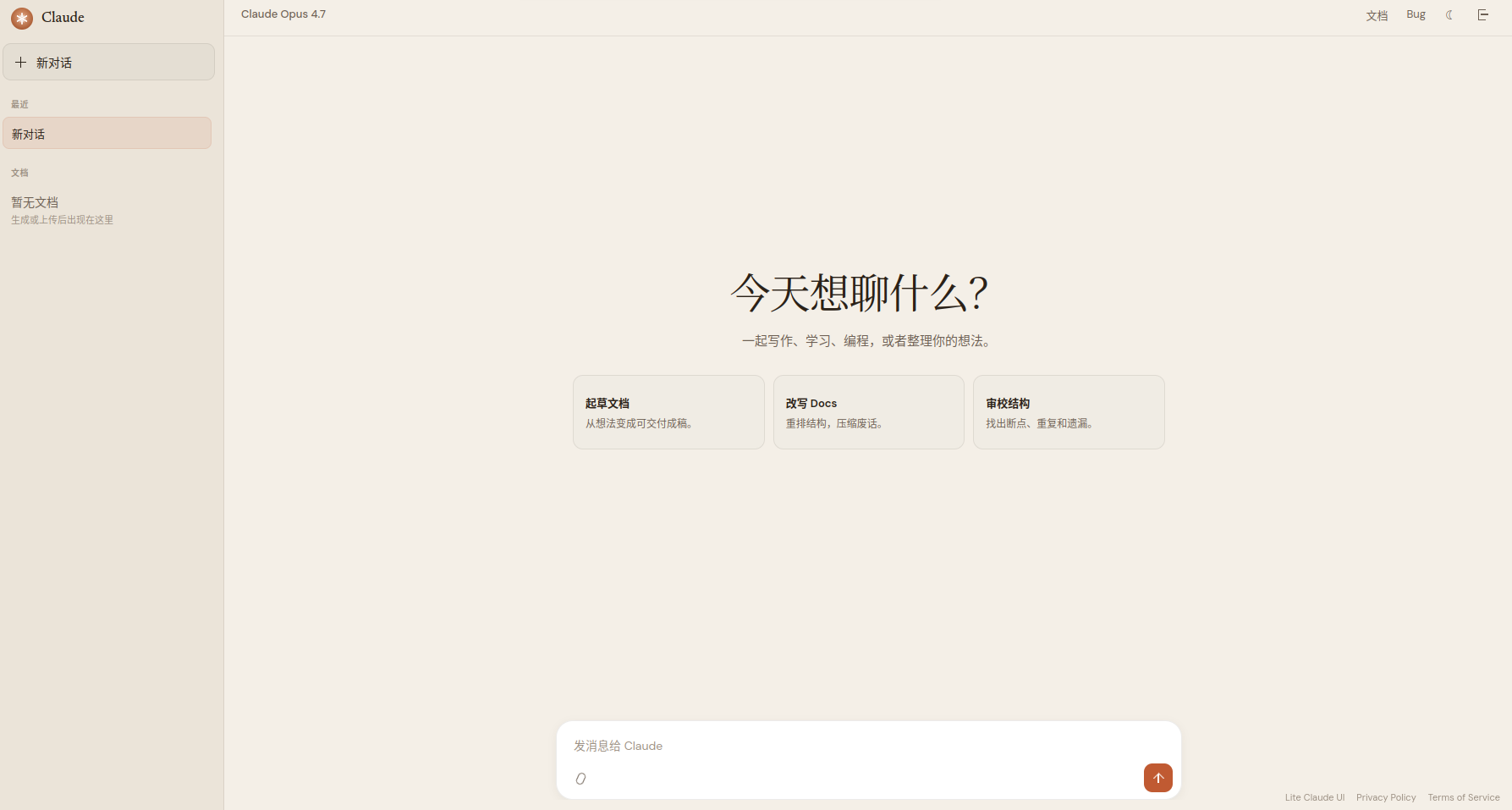
I started using Claude.ai last year and was impressed by its agent experience — you ask a question, and it decides on its own whether to search, write code, or generate a document. The whole flow runs without your direction. Later I wanted to run something similar on my own server, looked at Open WebUI and LibreChat, and found them all a bit heavy. So I wrote my own.
What It Looks Like in Practice
Search + Deep Reading
"What have OpenAI and Google been up to recently on AI agents? Give me a rundown."
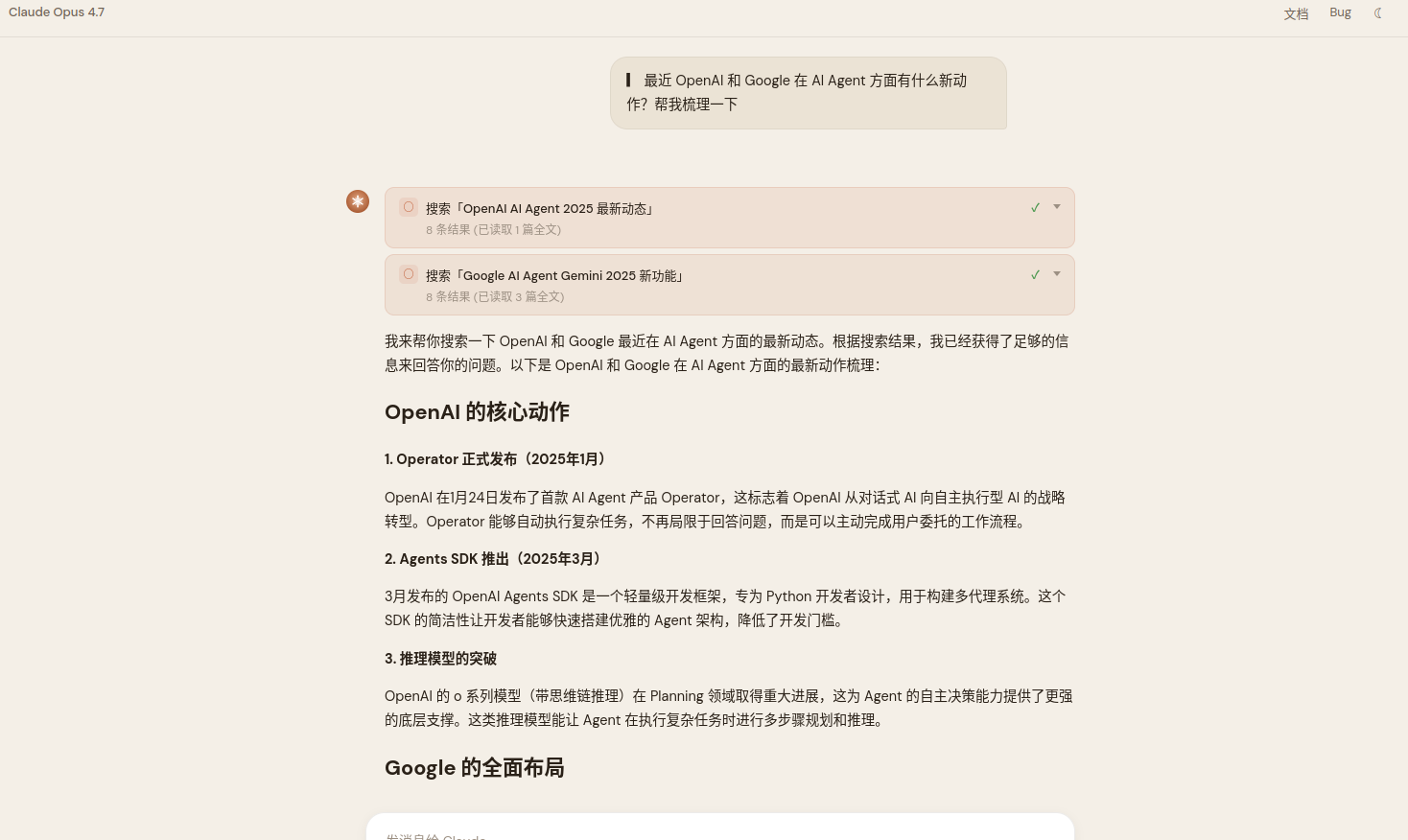
The model searched twice on its own (with different keywords), read four full articles, and then answered. There's no predefined flow here — I didn't hardcode "search first, then read, then answer." The model decided it needed to search, found the first pass insufficient, and ran another search from a different angle.
Search + Code Execution + Visualization
"Generate a visualization of global AI investment from 2020 to 2025 using Python."
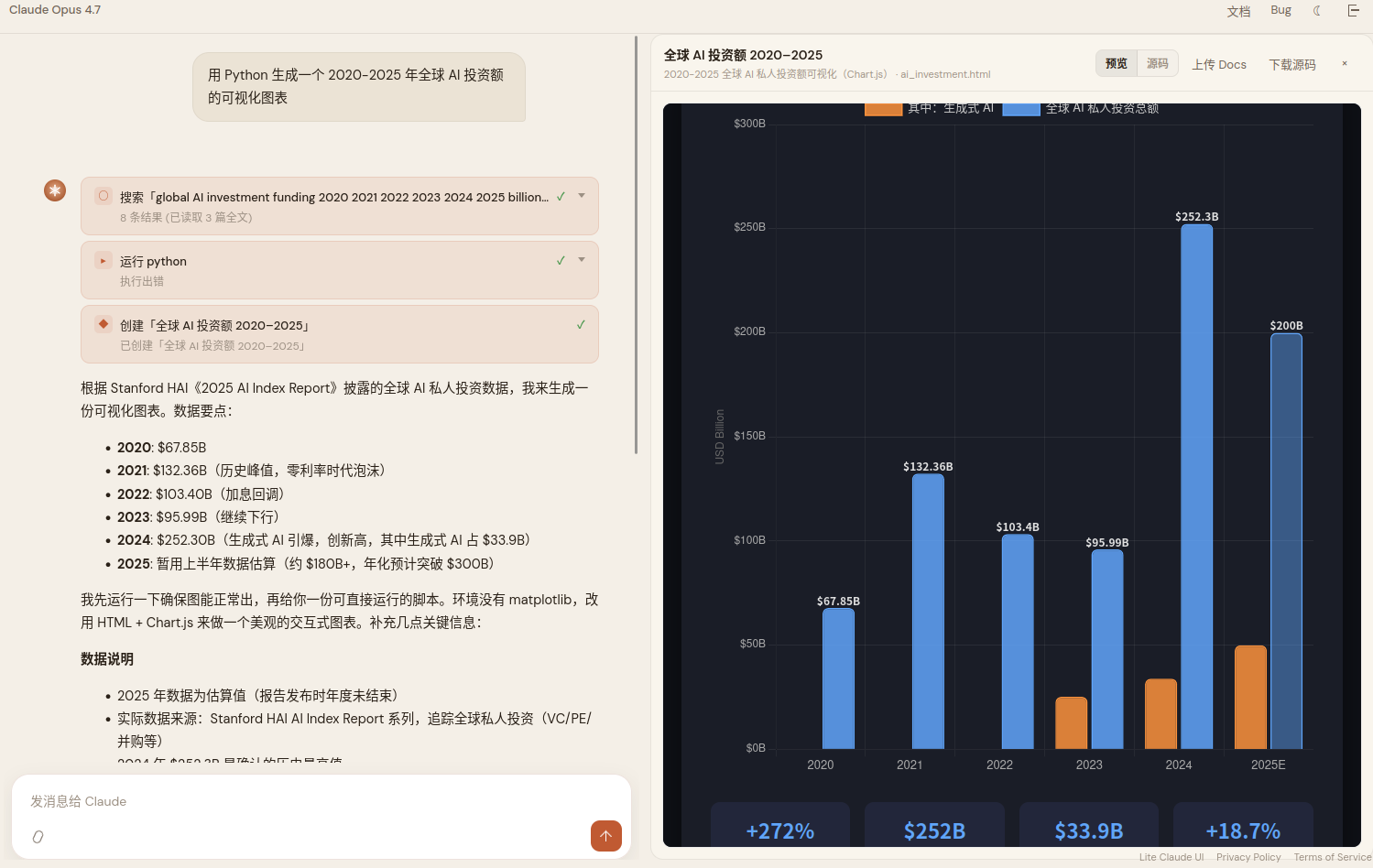
The model first searched for real data, then tried to plot it with Python, discovered matplotlib wasn't available in the sandbox, and pivoted to an interactive chart built with HTML + Chart.js. The "execution error" you see in the screenshot is the trace of its first failed attempt.
Ask Before Writing
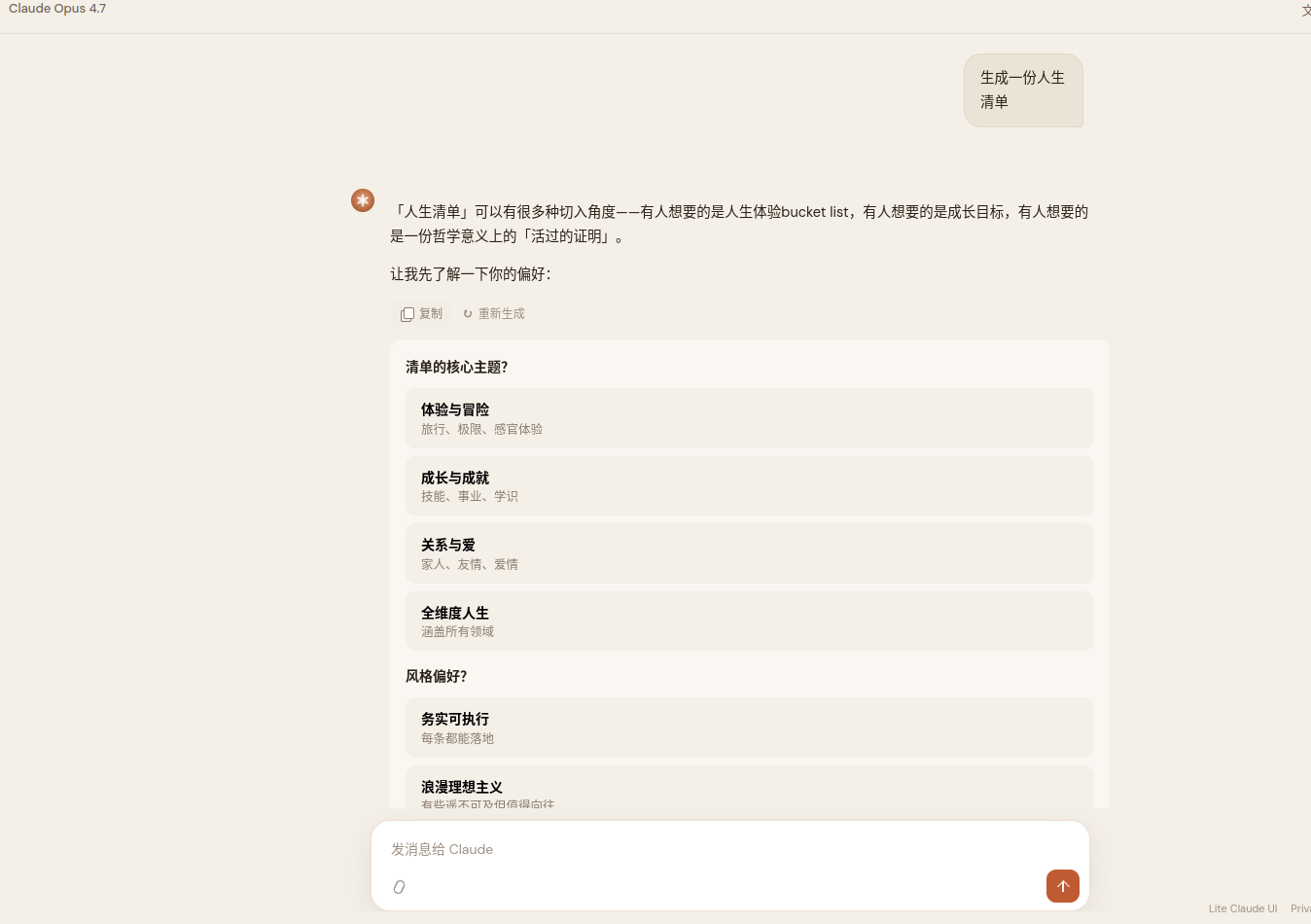
"Write me a tech blog post on building a personal AI assistant from scratch, with architecture diagrams and code samples."
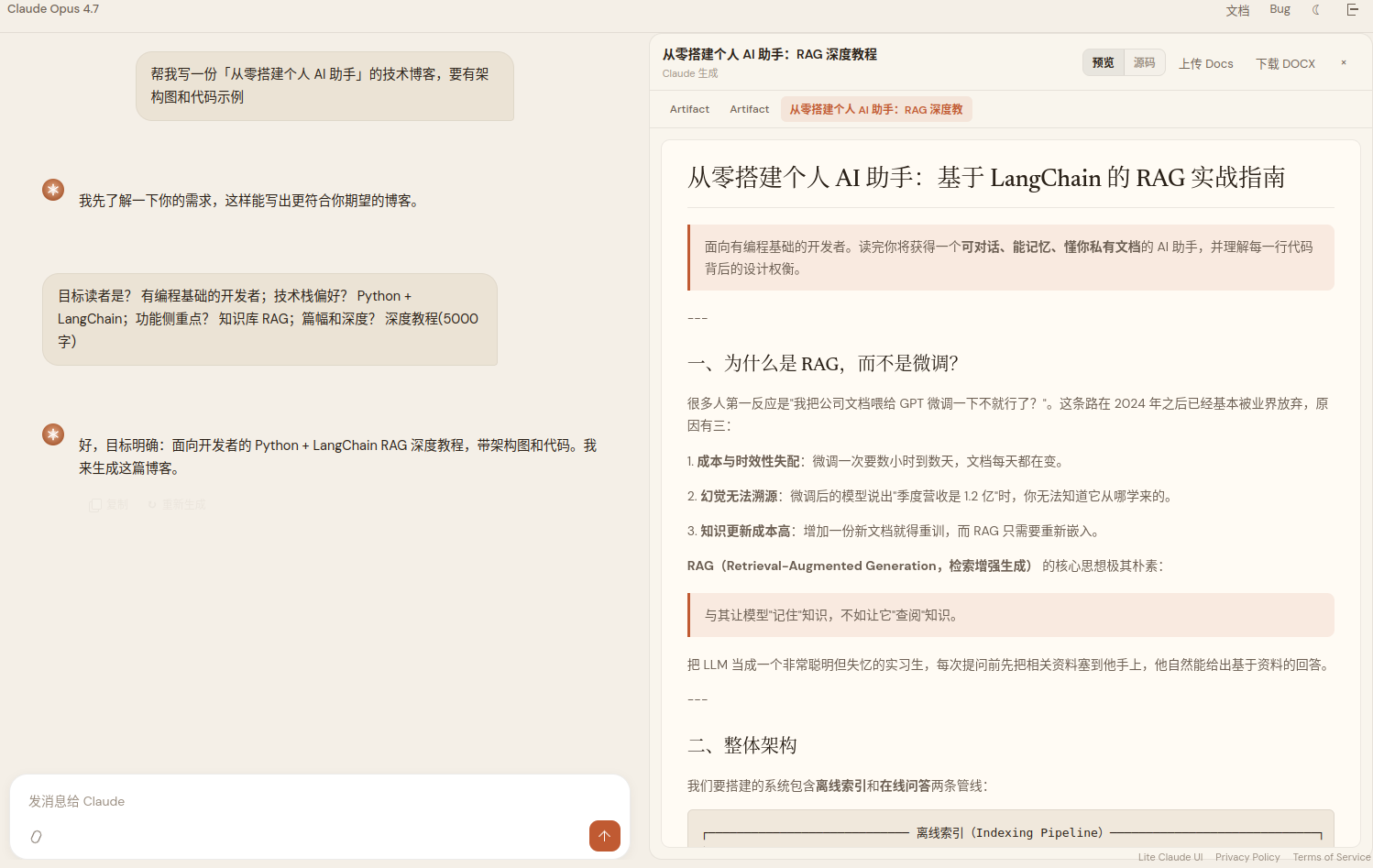
The model didn't start writing straight away. It first came back with a few clarifying questions — target audience, preferred stack, length, depth. These questions were presented as clickable option chips, and only after the user picked did the model begin generating. This behavior came from the model itself; nowhere in the prompt did I say "ask clarifying questions when the request is vague."
A 61-Page Whitepaper
"Write a full AI industry whitepaper."
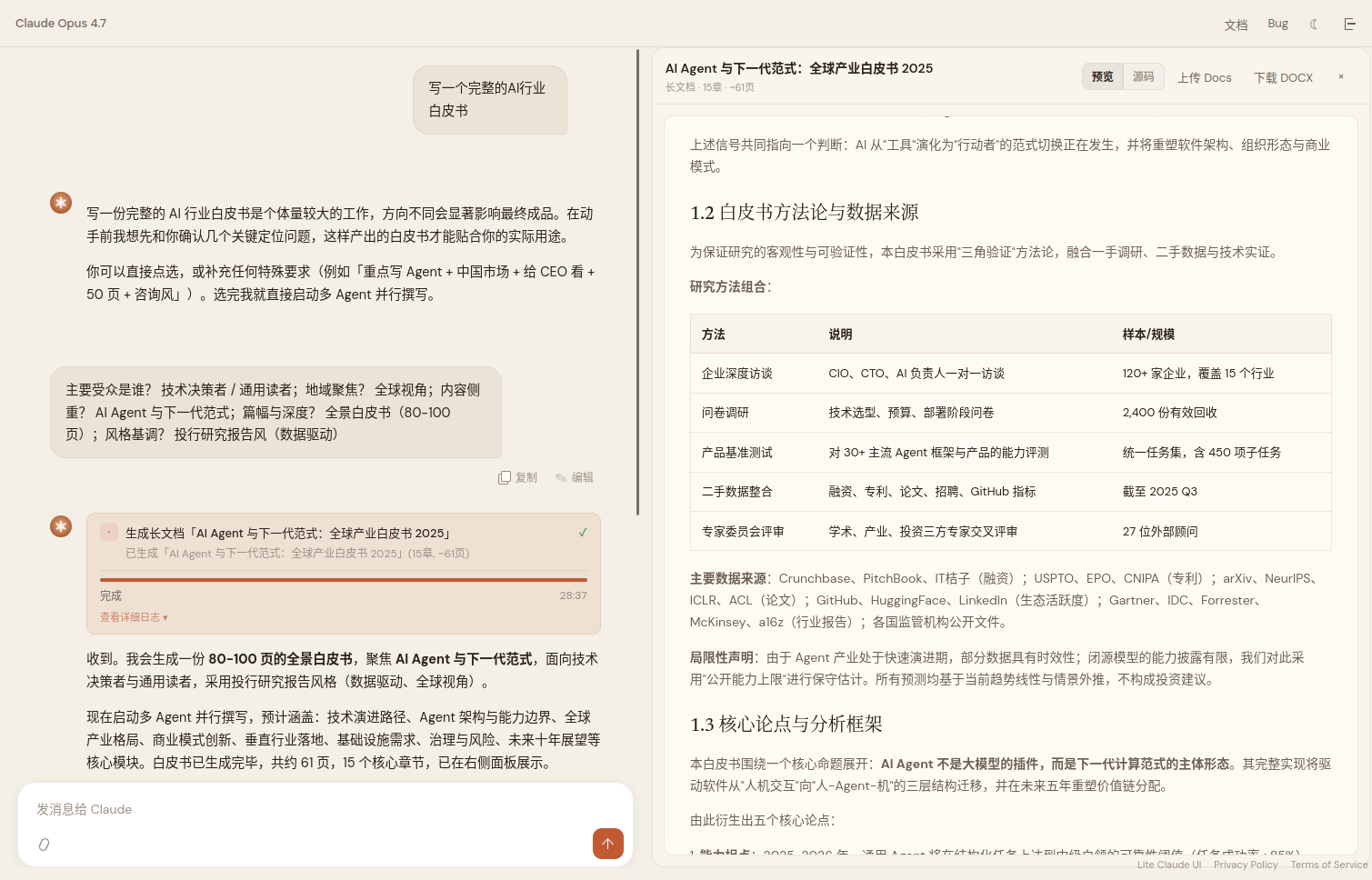
Multiple sub-agents drafted 15 chapters in parallel, then assembled the result into a complete 61-page whitepaper. The right-hand panel previews the output and lets you download a DOCX. Honestly this feature is still a bit flaky — it occasionally hangs — but when it works the output is solid.
On Agent Frameworks
Before I started this project, I assumed the hard part of agents was orchestration — designing state machines, defining tool-selection policies, handling multi-agent coordination. That's what LangChain, LangGraph, and friends are built to solve.
After shipping it, I realized that, at least in the single-agent case, the core loop is dead simple:
while the model has not returned end_turn:
    send the conversation history to the model
    let the model decide which tool to call (or answer directly)
    execute the tool and append the result to the conversation history
My entire agentic loop is about 100 lines. No state machine, no decision tree. The model decides when to search, when to write code, and when to stop.
This made one thing click for me: a lot of orchestration logic exists to compensate for the model's weak judgment. If the model is good enough (say, Claude Opus), give it tool descriptions and a goal, and it will plan reasonable steps on its own. You don't need to tell it in code "after searching, read the full page" — it figures out for itself that snippets aren't deep enough.
That's not to say frameworks are useless. If you need multi-agent coordination, complex approval workflows, or compatibility with weaker models, frameworks earn their keep. But for the "one agent + a few tools" case, the raw API plus a loop is enough.
Search-Then-Deep-Read
This is the single design decision that moved the needle most for me. Most AI search products do: search → grab snippets → answer from snippets. But snippets are low-density and frequently miss the point of the question.
What I do instead: after searching, fetch the full HTML of the top few results (truncated to 6000 characters per page) and answer from the full text. The quality gap is large. The cost is high token usage, so there's an 80K-token budget manager — once you go over, earlier turns get compressed.
Tech Stack
The frontend is a single app.js plus one styles.css — no React. The backend is a single server.mjs with SQLite for storage. It runs on a 128 MB VPS.
I'm not claiming these choices are particularly clever — for a solo side project, a simple stack just lets me iterate fast. I make a change, scp it to the server, and it's live. No build step, no Docker.
Deployment
git clone https://github.com/piglet12138/claude-ai-harness.git
cd claude-ai-harness
npm install
cp .env.example .env  # fill in your Anthropic API key
npm start             # → http://localhost:3040
Supports the official Anthropic API and any compatible endpoint. Runs in 128 MB of memory.